
For communications and event teams
Livestreaming & Event Recording
Multi-camera capture, managed livestreams, remote guest support, and clean recordings designed alongside the in-room production.
- Home
- Livestreaming & Recording
Why teams choose us
A polished event, with the technical details in experienced hands.
More value from your budget
We prioritize what your audience will see and hear, use suitable room systems, and bring only the equipment your program needs.
The technical show, handled
Share your script, slides, and media. We prepare the cues, rehearse the transitions, and operate the AV through the final moment.
30+ years of live events
Experienced technicians pair professional audio, lighting, displays, and video with calm, attentive show support.
A crew sized to the show
Focused programs often need just one or two operators. We scale the crew to the production and work around venue access for efficient setup and strike.
One team runs the technical show
A complete plan for viewers and final files.
A livestream is not a camera pointed at a stage. Remote viewers need a deliberate program feed with clean speech, readable presentations, useful camera angles, graphics, and active monitoring. We plan that experience alongside the room system so neither audience is treated as an afterthought.
Recording goals matter just as much as the live platform. A full program archive, individual session files, clean camera recordings, isolated audio, or a polished edit require different capture choices. We define the handoff before show day so the files delivered afterward match how your team intends to use them.
Typical support
What we typically handle for livestreaming & recording.
We choose the right mix for your program, room, and priorities. Follow a linked service for more detail, or tell us what your event needs.
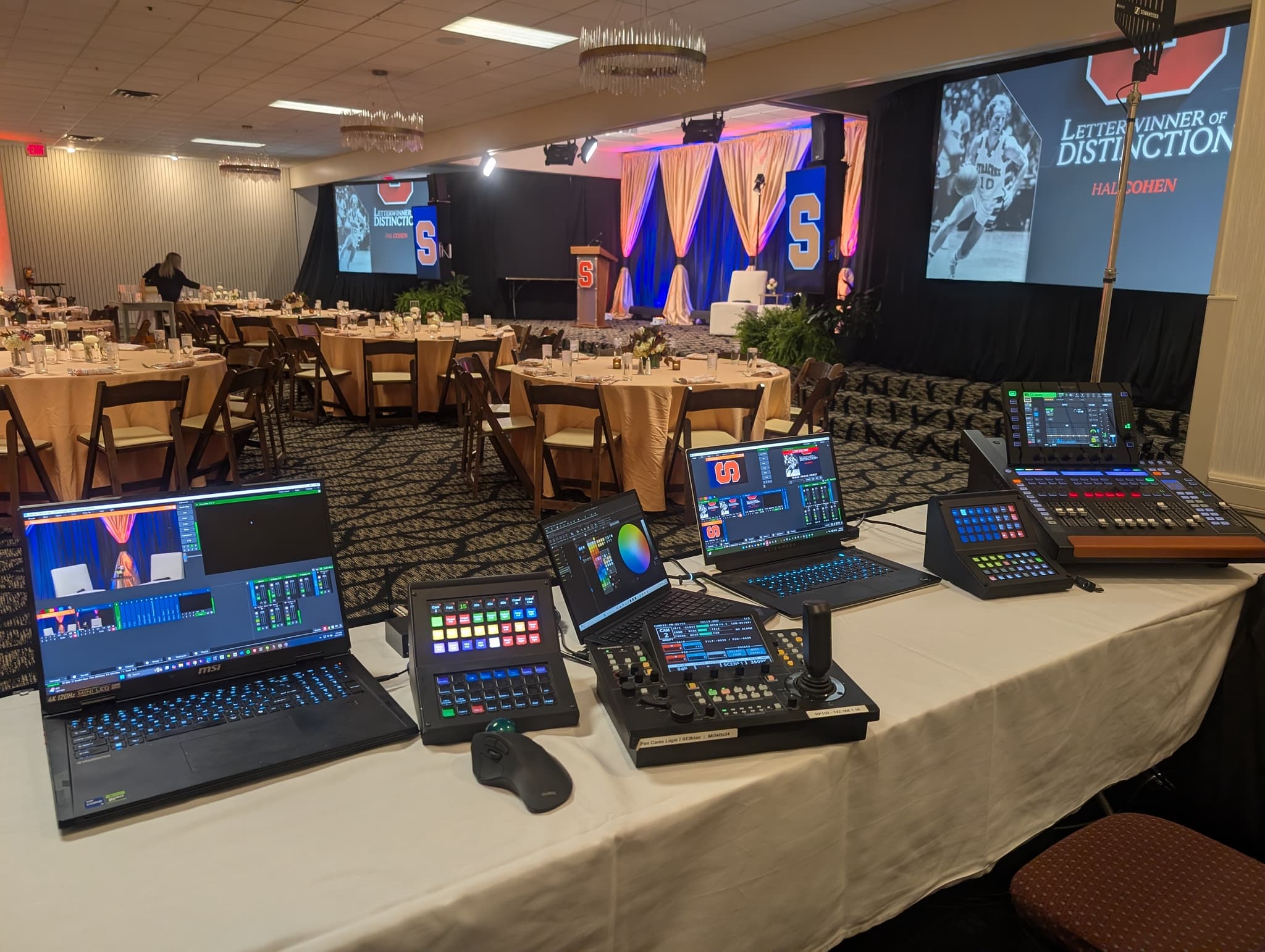
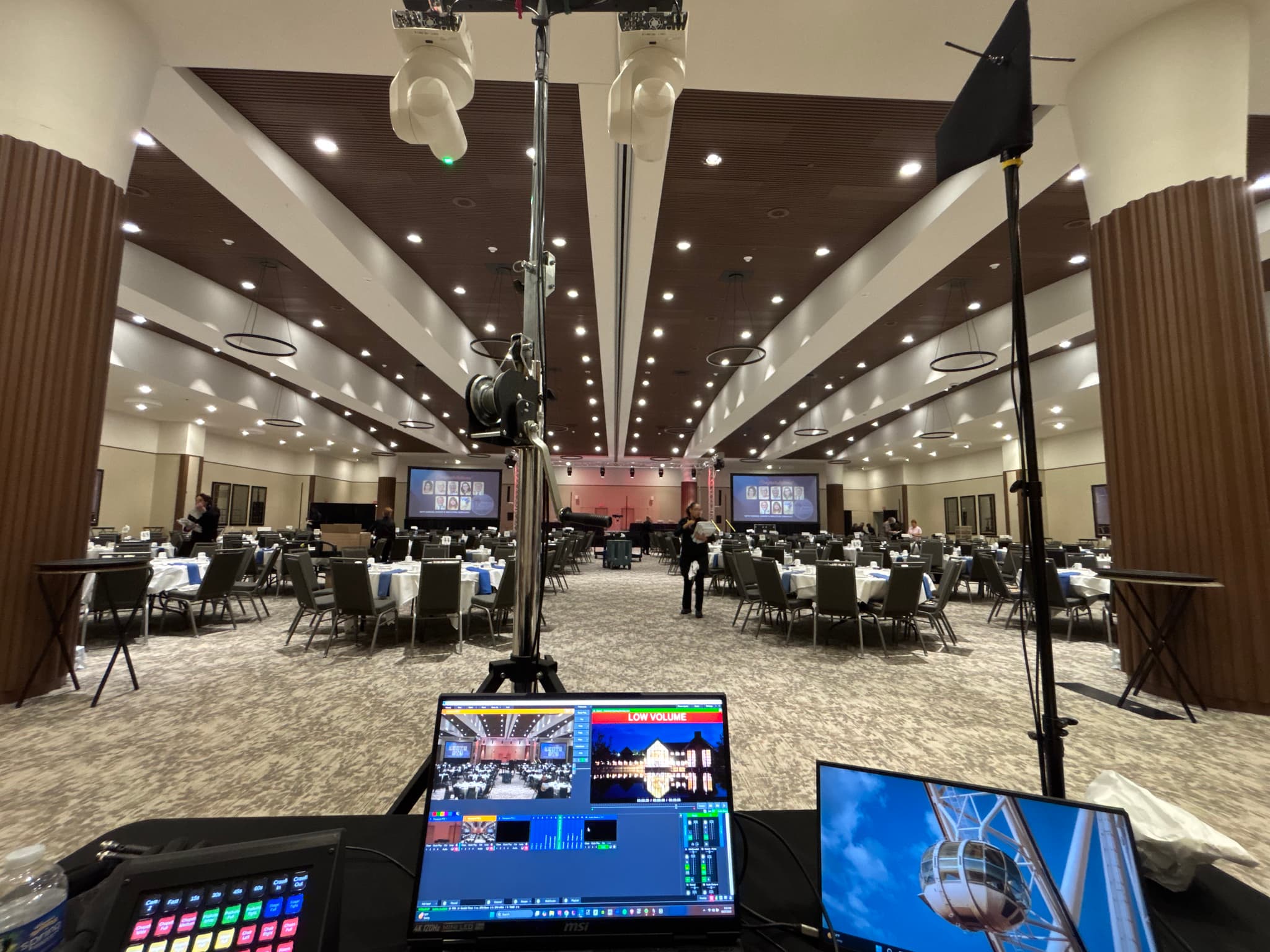
- Multi-camera coverage, switching, and operator positions
- Dedicated speech and playback mix for remote listeners
- Direct slide and graphic feeds for remote viewers
- Remote speaker checks, return audio, and platform setup
- Network checks, live monitoring, and local backup recording
- File formats, session naming, and post-event handoff agreed in advance
Event gallery
See livestreaming & recording in action.
Explore camera, control, and recording setups that turn an in-room program into a clear experience for remote viewers.
How planning works
Four stages from first contact through strike.
First Conversation
Share your event details. We typically respond within 48 hours to ask follow-up questions or schedule an online or in-person meeting so we can understand your event’s purpose, audience, and priorities.
Scope & Quote
Once the scope is clear, we design the highest-value approach around your priorities and budget, then return a quote with a tailored production plan.
Setup & Testing
We schedule setup around venue access and your event timeline, then test the system and rehearse the run of show, media, cues, and critical transitions before guests arrive.
Execute & Strike
An experienced team arrives before the event to verify every system is operational and show-ready, operates the AV through the program, and strikes immediately afterward or at the earliest venue-approved time.
- The in-room mix and remote program mix can be monitored separately.
- Presentation content can be routed directly rather than filmed from the screen.
- Local recordings can protect the archive even when a public platform or connection has an issue.
FAQ
Questions about livestreaming & recording.
Useful answers before we build your event’s production plan.
5 questions
The platform can be selected around your audience, privacy, registration, embedding, and archive needs. Share the intended destination and account requirements during planning so access can be tested.
We first coordinate a wired venue connection and test the available path. Depending on the location and event risk, bonded cellular or another backup strategy may be included in the scope.
Yes. We can plan the return video, mix-minus audio, presentation control, confidence, and moderation needed for a remote presenter to hear and address the in-room audience.
Recording can be included, but the exact files should be defined in advance. Options range from a program recording to separate camera, audio, or session files for later editing.
Yes. We can provide video capture and streaming for both in-room and remote audiences, ensuring interaction and high-quality delivery for all participants.
Livestreaming & Recording
Tell us what you’re planning.
Have a date and venue? Share what you know so we can discuss availability and the production your event needs. It’s fine if some details are still changing.
Helpful details to share when you have them
These details help shape the first conversation. Scripts, slides, and media can follow after we connect; you don’t need a complete brief to get started.
- Date, venue, platform, audience access, privacy, and expected viewer count
- Program schedule, camera priorities, presentation sources, and remote speakers
- Venue network contact, wired connection details, and backup connectivity options
- Captions, graphics, sponsor content, recording, and post-event usage
- Required file formats, session separation, delivery timeline, and editing scope
Already have a detailed brief?
Use the full inquiry form